10 great video tutorials for Lightroom 3
Reading a blog article is great when you’re on a bus or train. Books are great too but video is the best you can get when it comes to tutorials. Therefore I’ve searched the net for you and collected 10 great videos that will give you some good tips on what you can do, and how you do it in Lightroom 3. Get your snacks ready cause here we go… Read more
Set the white balance for all of your photos
Manipulating with white balance (also called color balance, gray balance and neutral balance) can make some cool effects on your photos. Most of the time you want to change the temperature of your photos to make the photo look cold or warm. To do this you just simply drag the white balance slider to the left (cold temperature) or to the right for a warmer look. But what if you really want your image to look natural, as it does in daylight?. You can do this in different ways. Read more
Lightroom 3 public beta is here!
Today you can download the latest release of Lightroom 3 beta. The Adobe team have really made some nice adjustments on this release compared to LR 2 with lots of new and improved functions.
What’s new in Lightroom 3?
There are so many new things so you should really download a copy of the beta release yourself, to try them out.
Scott Kelby from Photoshop Insider has written a great post about some of the new features. Check it out:
(1) Importing has been redesigned with a new import window that lets you easily see where your images are coming from and where they’re going, with lots of little improvements and enhancements to make the process easier and much more visual.
(2) Drag and Drop Publishing to the Web (and more). Now you can just drag and drop an image to have it automatically published directly from Lightroom right up to Flickr, or directly to an iPhone sync folder, etc..
(3) Pro-level Noise Reduction. This is an area that Lightroom always lagged behind on, but now they have real pro-level noise reduction which competes, or beats, about anything out there (especially because it can do its noise reduction at the Raw file level, rather than on a processed 8-bit file).
(4) Built-in Film Grain feature. There’s been a lot of buzz recently about bringing back that film-grain look, and now that’s built right in.
(5) Better vignetting by a long shot. They really enhanced the post crop vignetting, and now post crop gives you a much better looking, and more natural result (and you have two choices for the type of vignetting effect as well).
(6) You can finally (finally, finally!!!!!) export a slideshow with music embedded in the slideshow (at last), and you can have your slideshow automatically sync the length of the slideshow to the length of your song. Plus, they made it so, on a Mac, you don’t need to use iTunes to host your slideshow music.
(7) Real watermarking is here! Now you can create real watermarks, at different sizes and opacities, and put them where you want them, for both web and print.
(8) Create print layouts with photos wherever you want them. Now there’s a Custom Print Package feature that lets you put as many photos, in whatever shape and size, on the page wherever you want them (you’re no longer restricted to use a grid of uniform cells), so now you can really come up with some creative print layouts without having your hands tied.
(9) You can change the background color for prints. Now you can choose any color as your background for printed pages. I know it sounds like a little thing, but it’s big.
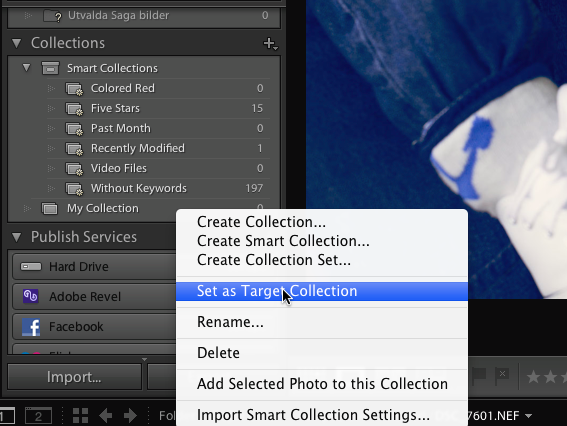
(10) The Collections panel is now in the Develop Module, too. This one addition will dramatically increase your efficiency because now you don’t have to constantly switch back and forth between the Library Module and Develop Module, because you can get to all your collections and images from right within the Develop Module itself.
Check out these three videos to see what’s new in Lightroom 3:
Part one:
- Library and develop modules
- New streamline import function
- Improved sharpening tool and color noise reduction
- More natural vignetting and… Add Grain!
- Faster!
Part two:
- New ways to share and publish images (Direct access to your Flickr account)
- Add sound to your slideshows
- Custom package in the Print mode for better layouts
- Edit watermarks (text or image)
Part three:
- 25+ new features
- New crop presets
- Sort images based on cropped size
- New option for overlay info in loupe view
- Turn autosync (new feature) on and off in the loupe view
- Create and import new folders and images easier
- “Show photos in subfolders” easier to set on/off
- New improved Collection functions
- Lock library filters
- Filter images on flash state
- Find missing files
- Back-up on exit
- Access to Collections in the Develop mode
For more details on the new functionality in the Lightroom 3 beta:
- Read the blog post from the Lightroom team to learn about the vision behind the features included in the beta.
- Find helpful resources on the new NAPP Lightroom 3 beta Resource Center.
- Read the release notes (PDF) for detailed information.
Lightroom 3 SDK for developers will be released when Lightroom 3 is out on the market (according to the Adobe forum)
Timesaving Features in Lightroom 2
It’s not hard to get started in Lightroom. You find your ways to navigate and use the software. I’m not going to tell you that you’re doing it wrong, but maybe you can do it faster… Jolieanne Kost from Adobe shows you a multitude of Adobe Lightroom 2 features that can make a huge difference in your overall workflow in this Lightroom 2 tutorial. Read more
A great way to use graduated filters for spectacular horizons
When you’re out taking photos of horizons (oceans, beaches and landscapes etc) you really have to think twice before you take the shot. With an incorrect measurement in the camera it’s hard to get the right exposure on both sides of the horizon. Sometimes you don’t even have the time to adjust your camera to get the perfect exposure. Lightroom is just the tool for you when it comes to horizons and exposure problems. Read more
Export images from Lightroom to your blog!
Did you know there’s a plugin for Lightroom that makes it possible for you to export your photos directly to your blog!?
Timothy Armes’, the man behind LR2/Mogrify (which I’ve talked about before) has made it again. Read more
10 great video tutorials for Lightroom
This time I’ll just let others talk about Lightroom. I’ve collected 10 video tutorials from Youtube that might be of interest for some of you. Most of us are so eager to start playing around with new software and stuff (cellphones or TV etc) that we often forget the “other” great features of it. With this in mind I thought that this list of video tutorials might open your eyes to some features you’ve might have seen but not yet tested in Lightroom. Learning by practice is always a good way to do it, but to first see it being done by somebody else is even better… Read more
Everyone can be a Pro – part 2
This is part 2 of my article called “Everyone can be a Pro”. Read part 1
Step one to success – Digital cameras and big memory cards
Get a big memory card for your camera. In the old days you had to think carefully when to press the button or not. You had to make a choice if the motive in front of you was worthy enough to be put in an album or not. After all you just had 24 or 36 frames per film roll. Read more
Tutorial:How to put image stamps in your photos with Lightroom.
Did you know you can put image stamps on your photos directly from Lightroom? A photographer usually put his logo stamp on all his images to mark them as a part of his/her work. This is often done using a pre-made Photoshop action but I will tell you how to do it within Lightroom instead to save some production time. Read more
Tutorial: How to remove spots on multiple photos
Yesterday I posted a tutorial article about how you easily can remove dust spots from your photos. It didn’t take long time before someone asked me how they should do if they have like hundreds of photos with the same pattern of dust-spots. So here comes part two of “how to remove spots with the spot removal tool in Lightroom 2.” Read more