6 new presets to “wow” your photos
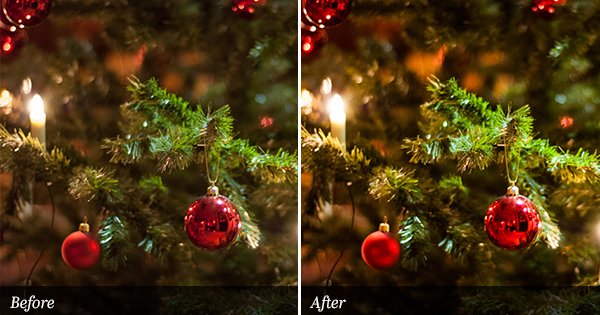
I’ve been sitting here for hours now. Playing around in Lightroom, testing and adjusting before I finally got satisfied. Photoshop have a nice feature called “Curve adjustments” where you can change the color channels (RGB) separately with a few clicks with your mouse. I really wish Lightroom had that feature built in. Anyway, I started this session by doing some curve adjustments in Photoshop. When I was satisfied I tried to accomplish the same result in Lightroom. It’s really not that easy, I can tell for sure. A couple hours of testing and I’m sitting here with 6 new presets. Actually it is a set of three presets with two options each; one with vingettes and one without.
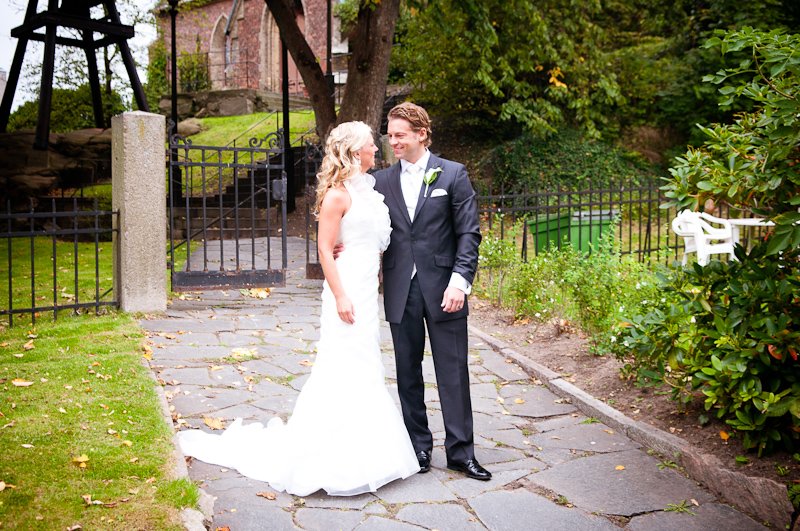
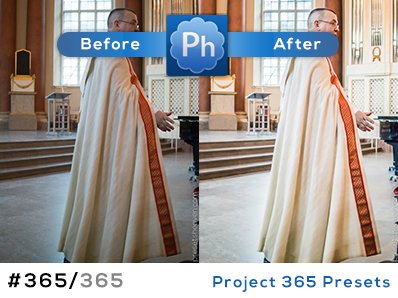
For this specific preset collection I have made a special preview image with more than one example/sooc image. It gives you a better grip of how they work on different photos. I hope you like them.
Hi and welcome to my heaven! If you are a Lightroom lover like myself you probably going to adore this place. It's the paradise for all people who are looking for Lightroom presets. Make sure you subscribe to my posts to be first with the latest contributions. I wish you a very pleasant stay. Regards, Pierre


October 13th, 2009 at 5:27 am
Your presets are fantastic! They are truly wonderful, and so is the fact that you do this for us, without charging. I have not been disappointed by any of your presets, and I know that is not going to change! Can’t wait for your future work! Thanks!
October 13th, 2009 at 5:38 am
I’ve missed your posts lately. Thanks for six new goodies to try.
October 13th, 2009 at 5:42 am
Thank you for developing such a wonderful collection… Keep them coming!!
October 13th, 2009 at 10:07 am
Thank you Lenard!
I’ll do my best
October 13th, 2009 at 10:12 am
You’re welcome, as always, Sunny
October 16th, 2009 at 9:29 pm
Fabulous new collection – thank you so much!
October 19th, 2009 at 4:15 am
Gorgeous presets! Thank you!!!!!
October 30th, 2009 at 9:10 am
Thank you, very useful presets.
November 29th, 2009 at 5:38 pm
Hello,
This may be a stupid question but, can these presets be used in PSE? I’m a scrapbooker and would love to have the quick easy way to adjust my photo’s. I love apperture but could never afford it. I have an iMac and have only been able to find presets that have to be purchased. TIA
PattiM
November 29th, 2009 at 9:18 pm
Hello PattiM,
No, you can’t use these presets with Photoshop Elements.
Sorry :-/
December 19th, 2009 at 1:02 am
Is it possible to acquire the same results within just Camera Raw, since it’s pretty much the same?
I would really like to have these, but I don’t have Lightroom.
December 19th, 2009 at 2:26 am
Hi Fredrik,
You can do the same in Camera raw, but to be able to do that you need to know the adjustment values of the preset.
Easiest way to do it is to download a trial version of Lightroom and copy the values to Camera raw. OR you can apply one of the presets to a photo. Then, export the image and select DNG as file format.
DNG will save all your adjustments data into the image so next time you open the image in Camera raw it will have all settings already set.
If you are satisfied with the adjustments, save the settings as a preset in Camera raw to be able to use it again on other photos.
I hope one day that Adobe will make a converter that make this step much easier.
Without Lightroom.
Another way to do it is to open the preset file in a text editor, and look for the numbers for each adjustment (might be hard to understand when you see it) and then enter them into Camera raw.
I hope this help you out.
Best regards, Pierre
January 11th, 2010 at 1:42 pm
these presets are beautiful! thank you!
January 11th, 2010 at 3:20 pm
Thank You Toni!
/Pierre
January 12th, 2010 at 12:42 pm
Hey !
I just discovered your site today, it’s great !!
I’m clicking on each link for an hour now, thank you for what you’re doing !
You seem to handle very well lightroom (sorry for my english, i’m french …)
Do you think it’s possible to have the same stylish/smooth/pinky look with lightroom as on those pictures (i found roaming a few days ago on fbspin.com)
http://17.media.tumblr.com/tumblr_kvuk79yfSU1qzglzwo1_500.jpg
http://16.media.tumblr.com/tumblr_kvqwyvuXlD1qz7nyco1_500.jpg
http://12.media.tumblr.com/tumblr_kvqww1jfAB1qz7nyco1_500.jpg
i found a soft, named “toycamera analog color” that makes something really nice but i don’t know if it’s possible to make the same thing with lightroom…
anyway i’ll give a try of your ‘wow’ presets on my pictures, it looks nice !!!
thanks man !
February 2nd, 2010 at 6:25 pm
Just found your site. Wonderful presets. Thank you for making them free.
February 6th, 2010 at 1:17 am
I have just come across your website and am grateful for my children s day sleep so I can get lost in reading your site. Thank you for sharing. I am inspired and enjoy learning from people like you.
February 6th, 2010 at 11:56 am
Thank you Katie!
I’m glad you like my work