

Greetings! I’m sitting here with a cold and have way to many projects going on to actually be making presets for you guys :-) I’m not sure how many times I’ve received mails from people all over asking me how to “get that look” in Lightroom. Most frequent request is the fashion look. You know what I mean… the photos you see in magazines and advertisements with happy people on the beach etc. :-) I’m going to Rome this Sunday so I thought it would be nice to give you a little gift before I leave… Yep, a new preset.
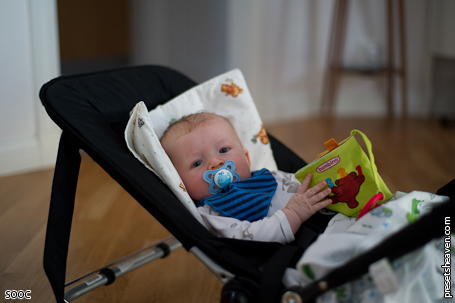
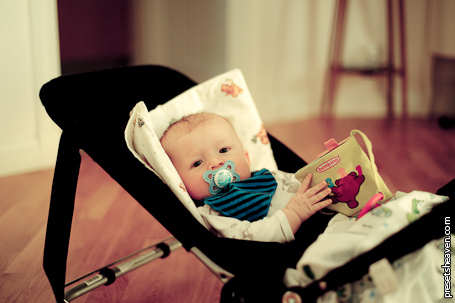
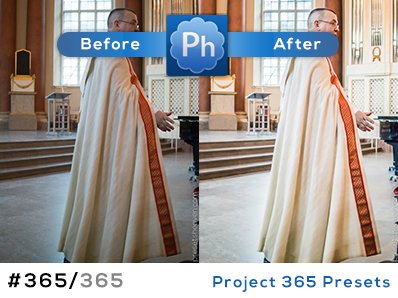
Preset in action:
ORIGINAL/SOOC:
PH Fashion Shoot IV:

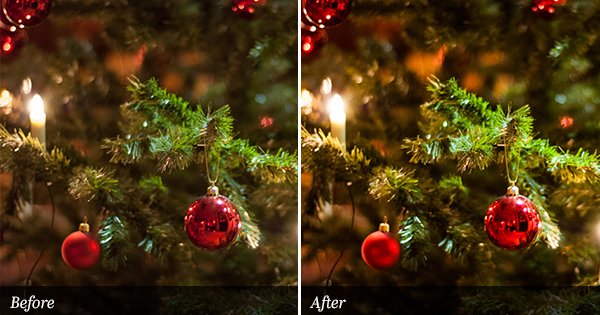
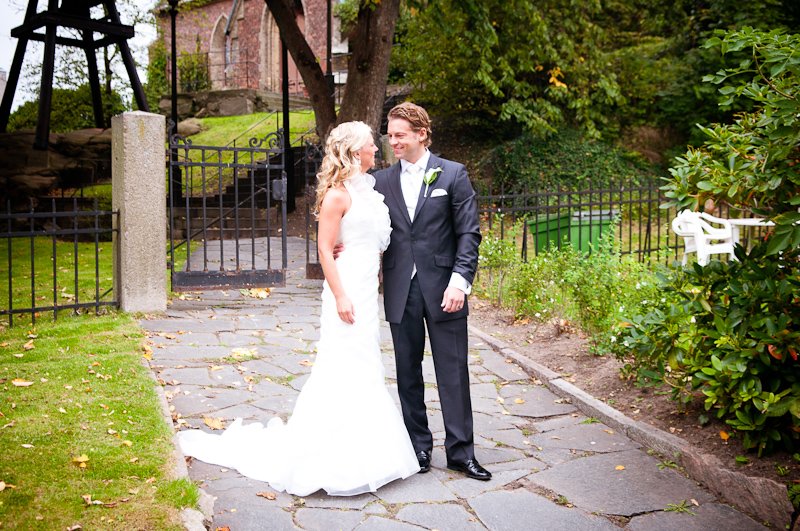
Lovely preset – I love what it does to the skin tone!
Yay, thank you!
Thank you, Pierre. It’s a lovely preset.
Wonderful preset – thank you! I hope you feel better soon!
Thank you Sandy. Feel better already :-)
I love this one, Pierre. Very cool look. Thank you so much!
Very nice preset… i love it! Thank you
hi, pls help to to let me know who to use these Presents? I have copied them into C:/Programs/ Adobe/ Photohop…/Preset but i can not load them into my photoshop (not competile extension file like *…), so pls help me!
Thanks all you so much
Hi Hai,
Please see my video tutorial (in the right sidebar) for more information on how to install presets i Lightroom.
Thanks!
/Pierre
Thanks again, Pierre! Get lots of pictures for us at Rome! I’ll have to live vicariously through you! :)
Have a safe trip!
Are these presets for PC, Mac or both?
Hi! The presets are for both Mac and PC :-)
Hi Pierre, thanks you a lot! I’m wrong while using Photoshop CS to try, instead of Lightroom!
One thanks all you!
hi, i watched your how to upload presets video and followed the instructions but the computer gave an error message saying it didn’t recognize the file type. I have adobe lightroom 3.0 and i am trying to upload the PH Fashion Shoot IV preset. If you or someone else could give me some assistance that would be great.
Hi Mary Ann,
Are you using Windows or Mac?
Did you extract the file before you tried to import it? (All downloadable files are compressed as .ZIP-format and need to be extracted before import into Lightroom)
Thanks!
//Pierre
thanks for sharing it.
one question: is it for LR3 or LR2?
cheers.
Hi Makier,
It’s for LR2, meaning it also works for LR3 :-)
Thanks for sharing this nice preset :)
I have a little question… Do this preset have to be used with RAW images or it can be used with JPEG ones ?
Because the photos i’m getting with this preset are way to exposed.
Thx again :)
Hi Van,
Most of the presets are made for use on RAW-images. If you’re using them on JPEG images I suggest you fine tune the exposure, brightness and contrast to achieve the effect you’re looking for.
Thanks!
Thank you soooooo much~~
Hi Pierre,
pls could you assist. After downloading the file there is no option for me to extract file. it says the type of file is an APPLICATION and the description is ADOBE EXTRACTION.
Not to sure what I am missing. I cannot import file into lightroom presets.
And also does it matter where i save the file?
Hi Kim,
The file is compressed using a method called “.zip”. To extract the file you need a software like Winzip (for windows) or Unarchive (for mac). A .zip file can not directly be imported to Lightroom!
I’ve extracted the file for you this time (check your mail) :-).
Have a great day!
/Pierre
hi Pierre,
i think i must leave some words here, not just d/l-ing.
u r great!
sometimes i am not satisfied with my DC (when i dun use my dslr), but after “preseting” them, it wows!!! i am still happy with my ricoh gx100!!
thx!!
This is gorgeous :) The skin tone looks beautiful! Thanks for the download!!
Iv just got lightroom and very excited when I found this site, so i downloaded this preset but it don’t look anything like what is in your photo?
Im using lightroom 3 on a Mac.
Andrew
Hi Andy,
Please make sure you’re applying the presets on RAW-images. If you are using JPEG, some of them might give you strange results.
/P
When I apply the preset to a photo it’s putting the
Brightness +40 and the contrast +34
Im not sure if this is correct my Lightroom seems to be automatically doing this with ever preset I use.
Andrew
Strange!
Try this:
1. Apply a preset to an image
2. Apply another one to see if the contrast and brightness are the same.
3. In the develop-mode press the “reset” button To clear all adjustments.
4. Try another preset. Still the same value? Reset and try a completely different preset.
Some presets are set to just affect some of the adjustments. Perhaps you have applied a preset that adjust the contrast and brightness and when you select a new preset, it is set to not make any adjustments to it?
Ex. A common way to use this is when you just want a preset to put vignettes on your images without adjusting anything else.
If nothing of this make sense. Try to “repair your Lightoom catalog”. Read more about corrupt catalogs here: http://www.thenomadicphotographer.com/2007/12/23/the-problem-lightroom-catalog-corruption/
I hope this will solve your problem.
Thanks, Pierre
Thanks Pierre for the advice, Im away to shoot some RAW photos then give it another go.
Cheers, Andrew
tq2 so much , this is great … i love it