


Hold on tight now. I’ve just finished these 10 (!) Dave Hill presets and guess what, They work pretty well on some of my images. Wait a second….Who the heck is Dave Hill then? Well if you don’t know that, you’re not reading this because of your Google search, I suppose? :-). Dave Hill is a famous photographer which uses a special technique on his images (have a look for yourself: www.davehillphoto.com). With the right light in your photos together with these free Dave Hill presets, you might get a smile on your face. Each preset has a black & white version as well. Go go go…
Presets in action
SOOC/Original:

Dave on the Hill 01:

Dave on the Hill 02:

Dave on the Hill 03:

Dave on the Hill 04:

Dave on the Hill 05:

Dave on the Hill 01 b&w:

Dave on the Hill 02 b&w:
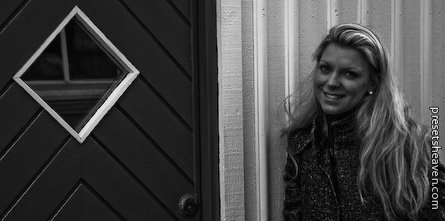
Dave on the Hill 03 b&w:

Dave on the Hill 04 b&w:

Dave on the Hill 05 b&w:

As you can see. Some of the effects above doesn’t look that good on this particular image. Instead of using perfect images for each preset I wanted you to see the truth behind presets. They often don’t look good on all images. Faces Vs. Landscapes images is a big difference. Keep that in mind when you see a preset you like.

Can anyone tell me which folder these presets go into? Thankyou
Clive,
Please read the instructions in the end of this post: http://www.presetsheaven.com/2008/12/12/everyone-can-be-a-pro-part-2/
I’m not sure if you’re on a PC or MAC though.
You should also check out my other post on how to import presets
Let me know if you run into problem.
Good Luck!
/Pierre
Thank you very nice effects and thank you for the link http://www.presetsheaven.com/2008/12/12/everyone-can-be-a-pro-part-2/ the instructions are super.