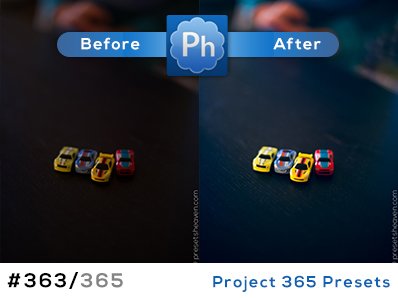
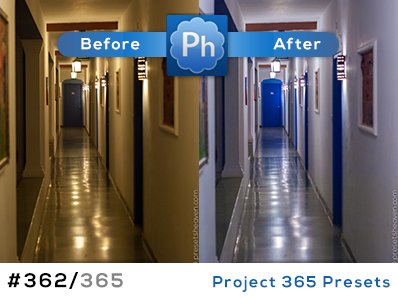
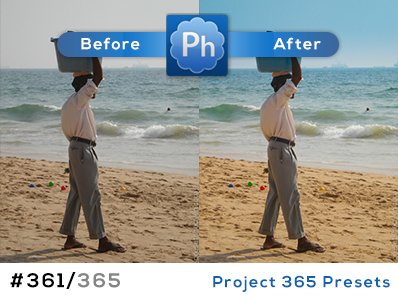
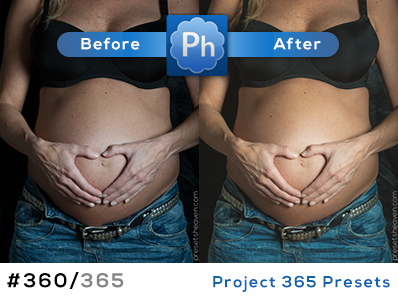
Another old school photo look
Happy holidays! I really hope all of you’ve had a great Christmas- and New Years eve. I’ve had a great time for sure. Lots of food and time in the sofa
The amount of subscribers to my weekly newsletter have increased rapidly the last couple of weeks and it’s so nice to see, after all it’s a free and nice service for all of you.
Anyway… During this holiday I have recieved a bunch of e-mails from many of you (thanks!). One of the e-mails were from Jasper who had included a preset that make your photos look “old school”; You know that feeling when colors are faded and the photos look like if they have been laying untouched in a box for many years . The preset is called “PaecKE’s old skool toning”… Read more
A little Christmas touch
Hi everyone!
I hope you’ve had a great Christmas Eve. As always I’m the one who seems to be missing on every photograph from Christmas. I guess it’s my own fault when I choose to stand behind the camera
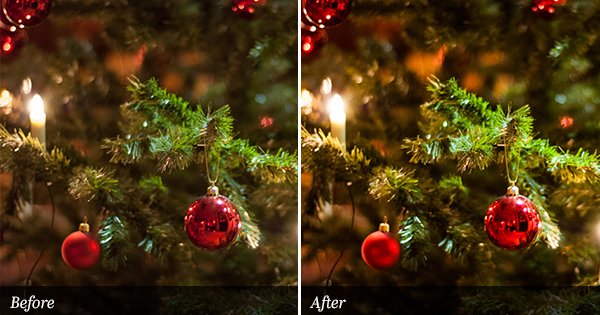
Anyway, I thought I just had to give you a little Christmas gift before the year ends. Here it is, a new preset called “PH Christmas Tree”. As you can see it intensifies the green colors and adds a little more contrast to the photo… Read more
Exclusively released on Presetsheaven
This preset is from the Wonderland Presets 3.0 collection. Nate who is the founder of Wonderland sent me this preset to be exclusively downloadable here at Presetsheaven. As many of you already know, Nate has been a great contributor to my site since I started it. If you’re a preset fan yourself and think you have a preset that others will like, don’t hesitate to send it to me and I’ll make sure the rest of the world will find it
Now lets continue with the preset from Wonderland…
The name of the preset is “Creative Catalyst 1″ and it’s a color desaturation preset that works great on portraits.
Playing with your holiday photos? Don’t stop
Hi all!
Since I started using Lightroom I more often have a look at my old holiday photos. I believe the reason is because I like to play/experiment with them. Earlier I used Photoshop for this, but using “actions” in Photoshop is quite time-consuming since the only way of seeing an effect is to first apply it. If you know exactly what your action does, it works great though. If I’m just going to play with a particular photo, Photoshop would still be a good choice, but when it comes to multiple images…no thank you.
With Lightroom I find it so easy to play with my photos because of the sweet live-preview function. Without it I really don’t think I would spend as much time in Lightroom as I do.
Tonight I found some of my city-shots from a holiday in Firenze.
It ended up with this new preset called “PH In the city“. Read more
Get that 80’s look
Sitting here with my laptop in my knees as I’ve done so many nights before:-) I Connected my 1TB external disk and opened Lightroom without any idéas on what to do. After playing around with the adjustments for some time I came up with this preset.
This is tonights attempt to simulate the feeling of an old photo that has been laying in the shelf since the 80’s. The name of the preset is “PH So 80’s”. Try and see if you like it. Read more
12 Black & White film emulation presets for Kodak B&W films!
It’s not the first time I publish presets from MikeyG. He just sent me his latest bundle of presets. His previous film emulation presets has been very popular out there and this time you won’t be disappointed either. All 12 presets are for Kodak B&W films, and each film emulsion has 3 presets; a standard develop preset that sets the basic development of the image, an Auto develop preset that allows Lightroom to automatically develop them image, and a curve preset that leaves the basic development alone, only changing tone curve and the color mixer. Read more
Cold Desire gives a soft blue tone…
It’s time for a new preset. This time I’ve made one, called “Cold Desire“, that might make your photos look sterile or medical, if you know what I mean. It will boost the contrast, fade the colors and apply a blue tone to the shadows and a touch of beige to the highlights. I also added some vignettes to add some depth to the photo. I sure like the feeling of it and I hope you will as well. Happy downloading until we “meet” again. Read more
Intensify your blue heaven
It’s a new week and why not start it with a preset? Today I was looking at some pictures from my last vacation in Firenze (Italy) 2008. From the hotel room I took some photos of the environment outside. There were lots of roofs and a blue sky out there.
Every time I start playing around in Lightroom with some photos, I notice they all can be improved in some way. This time one of my photos looked a bit faded and had a dull sky and an overall gray feeling. So I created this new preset that I call “PH Intensive Heaven“, but as you can see it intensify more than just the blue colors. Try it yourself, you might like it!
Read more
Turn day into night with a preset.
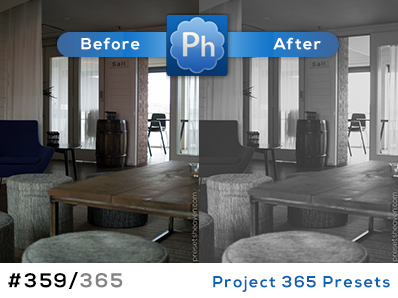
It’s December and that means darkness, well at least for me. When I go to work in the morning it is dark outside. When I go home it’s the same. With this in mind I created a new preset called “PH Bedtime”. You’ll understand why, when you look at my preview image or when you try it out yourself.
The purpose of this preset was to make daylight photos look more like late evening photos. Try it on architectural shots and you’ll see how the dramatic feeling increases. Time for bed now… Read more
A more subtle fog killer preset.
David Martschinske, photographer and visitor of presetsheaven, has made some adjustments to my earlier posted preset called “Fog Killer”. His version of “Fog Killer” has a more subtle feeling and might be a good complement to the original preset. This preset is a great starter if you want to “punch” the colors of your photos. If you haven’t tried out the first “Fog killer” preset you can get it here. Read more