Ligtroom preset 092 of 365
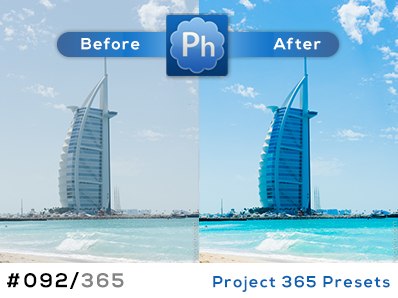
Here comes Lightroom preset number 092 of 365. This one is also a color popper. Check out the Saturation settings were I have selected only a few of the colors to adjust. Beside this I’ve also added an “S-curve” in…

Here comes Lightroom preset number 092 of 365. This one is also a color popper. Check out the Saturation settings were I have selected only a few of the colors to adjust. Beside this I’ve also added an “S-curve” in…

All right guys and girls, here comes one of the most common things we Photoshop lovers do when we want to improve our photos. It’s called the S-curve adjustment. -Now what is that? Well In Photoshop there are many ways…