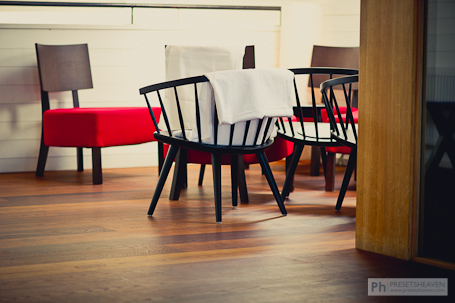
It was only a dream – A preset for LR3 and LR4!
Today we have the pleasure to present our first free preset made for Lightroom 4! In fact, this preset is available in three versions. One for Lightroom 3, one for Lightroom 4 and finally a preset for Adobe Camera Raw 6.5 for those without Lightroom :-)
This preset is a freebie from one of 14 professional presets that can be purchased from our Propresets.com shop.
If you think this one looks good, you should definitely check out the rest of this master kit. It’s called “Modern Nostalgia” and can be found here with different before & after images.
10 great video tutorials for Lightroom 3
Reading a blog article is great when you’re on a bus or train. Books are great too but video is the best you can get when it comes to tutorials. Therefore I’ve searched the net for you and collected 10 great videos that will give you some good tips on what you can do, and how you do it in Lightroom 3. Get your snacks ready cause here we go… Read more
A big pack of free Lightroom presets from William
Once again we have a new great contribution of Lightroom presets! This time William, a wedding & portrait photographer from Maryland, has sent us a great set of presets. I let him explain them himself:
“I thought I’d send in some presets that we use here in the studio all the time. There are three sets.”
1. HDR Effect
There’s four of them, delivering various levels of the same effect. By themselves they won’t look so great. They’re designed to be applied after using another preset, dealing with color and tone is used. Try them out and you’ll see what I mean. In some situations, they will produce a ghosting effect around high contrast edges, so you have to know when to use them, but our clients usually love the results, even though they have no idea why. Specific adjustment to blacks, exposure and saturation/vibrance will usually be necessary.
2. Common Basic Adjustments
These are a simple set of presets that apply varying degrees of only one setting. We use these all the time for quick adjustments to lots of similar images. Rather than selecting a lot of images and making adjustments to the sliders, which can sometimes produce unpredictable results, just a few clicks on these presets speeds things up a lot, in our experience.
3. Style Assortment
This is a set of three stylized presets which we don’t use a whole lot anymore, but have gotten a lot of love in the past. They are basic adjustments to split toning, tone curve and post-crop vignette.
In this post we will only show you the preview of what the Style Assortment presets look like. Read more
PH GreenYellow for a bright and soft effect
Long time no see, but here I am again with a new preset for both Lightroom 2 and 3!
I’ve been soo busy the last couple of months that I almost feel bad for you guys. I’ve been shooting lots of funny things including jewelry and some maternity photos. I bring my camera everywhere I go actually. If I don’t, I’m afraid i will miss an opportunity to “catch” a moment :-)
I’ve been using Lightroom 3 for some time now and I must say it’s really a good investment if you’re into photography and been using LR 2 before. The improvements of noise reduction is my absolute favorite among all other great news in LR3.
Today I’ve made a new preset called YellowGreen! It makes your photos brighter with a soft tone of “yellow-green” and some purple :-) Since most of you probably still using Lightroom 2 I’ve made two versions of this preset. One for LR2 and one for LR3. Read more
Lightroom 3 public beta is here!
Today you can download the latest release of Lightroom 3 beta. The Adobe team have really made some nice adjustments on this release compared to LR 2 with lots of new and improved functions.
What’s new in Lightroom 3?
There are so many new things so you should really download a copy of the beta release yourself, to try them out.
Scott Kelby from Photoshop Insider has written a great post about some of the new features. Check it out:
(1) Importing has been redesigned with a new import window that lets you easily see where your images are coming from and where they’re going, with lots of little improvements and enhancements to make the process easier and much more visual.
(2) Drag and Drop Publishing to the Web (and more). Now you can just drag and drop an image to have it automatically published directly from Lightroom right up to Flickr, or directly to an iPhone sync folder, etc..
(3) Pro-level Noise Reduction. This is an area that Lightroom always lagged behind on, but now they have real pro-level noise reduction which competes, or beats, about anything out there (especially because it can do its noise reduction at the Raw file level, rather than on a processed 8-bit file).
(4) Built-in Film Grain feature. There’s been a lot of buzz recently about bringing back that film-grain look, and now that’s built right in.
(5) Better vignetting by a long shot. They really enhanced the post crop vignetting, and now post crop gives you a much better looking, and more natural result (and you have two choices for the type of vignetting effect as well).
(6) You can finally (finally, finally!!!!!) export a slideshow with music embedded in the slideshow (at last), and you can have your slideshow automatically sync the length of the slideshow to the length of your song. Plus, they made it so, on a Mac, you don’t need to use iTunes to host your slideshow music.
(7) Real watermarking is here! Now you can create real watermarks, at different sizes and opacities, and put them where you want them, for both web and print.
(8) Create print layouts with photos wherever you want them. Now there’s a Custom Print Package feature that lets you put as many photos, in whatever shape and size, on the page wherever you want them (you’re no longer restricted to use a grid of uniform cells), so now you can really come up with some creative print layouts without having your hands tied.
(9) You can change the background color for prints. Now you can choose any color as your background for printed pages. I know it sounds like a little thing, but it’s big.
(10) The Collections panel is now in the Develop Module, too. This one addition will dramatically increase your efficiency because now you don’t have to constantly switch back and forth between the Library Module and Develop Module, because you can get to all your collections and images from right within the Develop Module itself.
Check out these three videos to see what’s new in Lightroom 3:
Part one:
- Library and develop modules
- New streamline import function
- Improved sharpening tool and color noise reduction
- More natural vignetting and… Add Grain!
- Faster!
Part two:
- New ways to share and publish images (Direct access to your Flickr account)
- Add sound to your slideshows
- Custom package in the Print mode for better layouts
- Edit watermarks (text or image)
Part three:
- 25+ new features
- New crop presets
- Sort images based on cropped size
- New option for overlay info in loupe view
- Turn autosync (new feature) on and off in the loupe view
- Create and import new folders and images easier
- “Show photos in subfolders” easier to set on/off
- New improved Collection functions
- Lock library filters
- Filter images on flash state
- Find missing files
- Back-up on exit
- Access to Collections in the Develop mode
For more details on the new functionality in the Lightroom 3 beta:
- Read the blog post from the Lightroom team to learn about the vision behind the features included in the beta.
- Find helpful resources on the new NAPP Lightroom 3 beta Resource Center.
- Read the release notes (PDF) for detailed information.
Lightroom 3 SDK for developers will be released when Lightroom 3 is out on the market (according to the Adobe forum)