


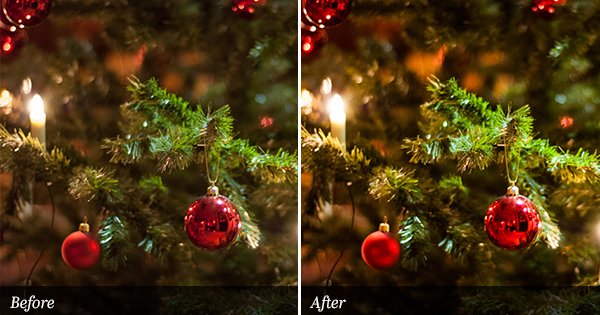
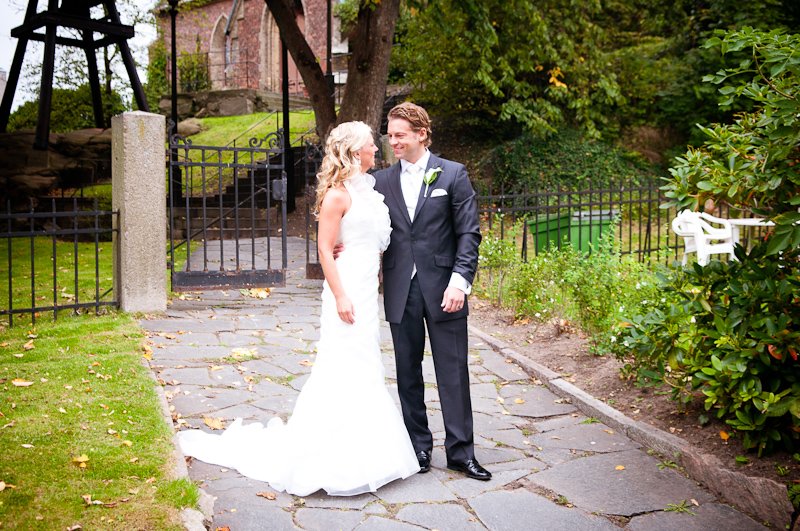
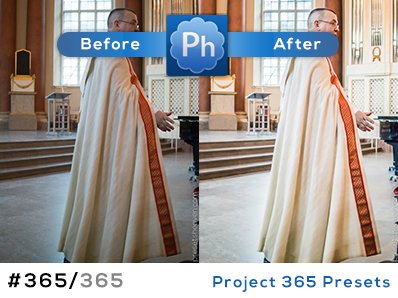
The presets keep coming in by mail! Recently I got a new preset from Brandon at x-equals. This preset was, until now, only available to people who signed up to x-equals newsletter. From today it’s exclusively available for download here at Presets Heaven. It’s a very elegant and subtle one that works in many situations. For those who are into wedding photography, this preset is a must. Shots of the bride and bouquets – especially close-ups just look terrific! I’ve had the pleasure to be the photographer of two weddings. In this post I have chosen to show you two of my wedding shots as preview images. It really looks great and I strongly recommend you to try this on your photos.
Preset in action
SOOC/ORIGINAL (example 1):

x=warm+storm (example 1):

SOOC/ORIGINAL (example 2):

x=warm+storm (example 2):


Hmmmm…
Is it just me or is there a problem with the download? After downloading and extracting, I try to open the file and get a message saying “The path ‘warm+storm’ does not exist or is not a directory”.
Hi Julie,
I’ve tested the compressed file and it works great for me, but I have renamed it now to be sure it will work for the rest of you. Cheers.
Yes, thank you – the file now works perfectly. And the preset looks great. Off to check out Brandon’s site now…
Thanks for the plug Pierre!
|B
{x=}
brandon has awesome presets–thanks for sharing this here! you rock!
Wonderful presets,thank you!!
woohoo! amazing as always!
merci!
allan
Thanks for the kind words everyone!
|Brandon Oelling
{x=}
amazing! thanks!
You rock, Pierre. Thank you for being so kind and generous… Can’t describe how much you’ve helped me improve my images and you have made me LOVE LR like I never had before!!! THANK YOU, THANK YOU, THANK YOU!!!
John,
Thank you so much for your warm comment. Made my breakfast this morning!
Hi Pierre
Im new to photography, just starting up so ALOT to learn, Im shooting my first wedding next week (scary) and was just looking at ideas online and came across this site! and WOW its really great! iv never tried presets before and just got lightroom so new to it all……im very excited indeed! I wanted to ask, once iv downloaded a preset how do I add it to lightroom? sorry if thats a bit of a daft question, as i said, im new!
thanks so much
kind cheers
Sara
Hi Missemanuel!
The first time is always scary :-) You’ll be just fine.
You missed my screencast on the first page showing you how to install lightroom presets :-)
Here’s a direct url to that movie: http://www.youtube.com/watch?v=liePXd2SlBA
If you want some inspiration for your upcoming work. Check out my own photos from misc sessions. You should check out my gallery too on that page ;-)
Good luck with the wedding session!
Cheers, Pierre
Thanks Pierre thats great!
Yes im very scared! but excited too! :-)
Your stuff is stunning, really lovely!
Thanks again
Sara
Hello.
I have just found your presets and downloaded them. However, it has to be me but when I use them they are not subtle like yours. Is it to do with my histogram – quality of tones across my range?
Thank you so much – Gina
Hi Gina,
Some presets work better for some images. Most of the presets you’ll find on this site are made for RAW-files. If you’re shooting in JPG-mode, the effects can get pretty messed up on some photos.
Gosh, what a brilliantly speedy response, thank you Pierre!
I shoot in RAW so will give it another go.
Enjoy your photography – Gina
I agree with Gina. I shoot in RAW but when applying these presets they are not subtle at all. Is there extra steps that we should be taking? I’m in love with all these presets and would love to use them on my photos!! Thanks!!
Just introduced to presets…once I download them how do I save them to lightroom? Would really appreciate some help?